
Track Your Hunter Career and Harvest Stats
 Open full-size screenshot · new tab
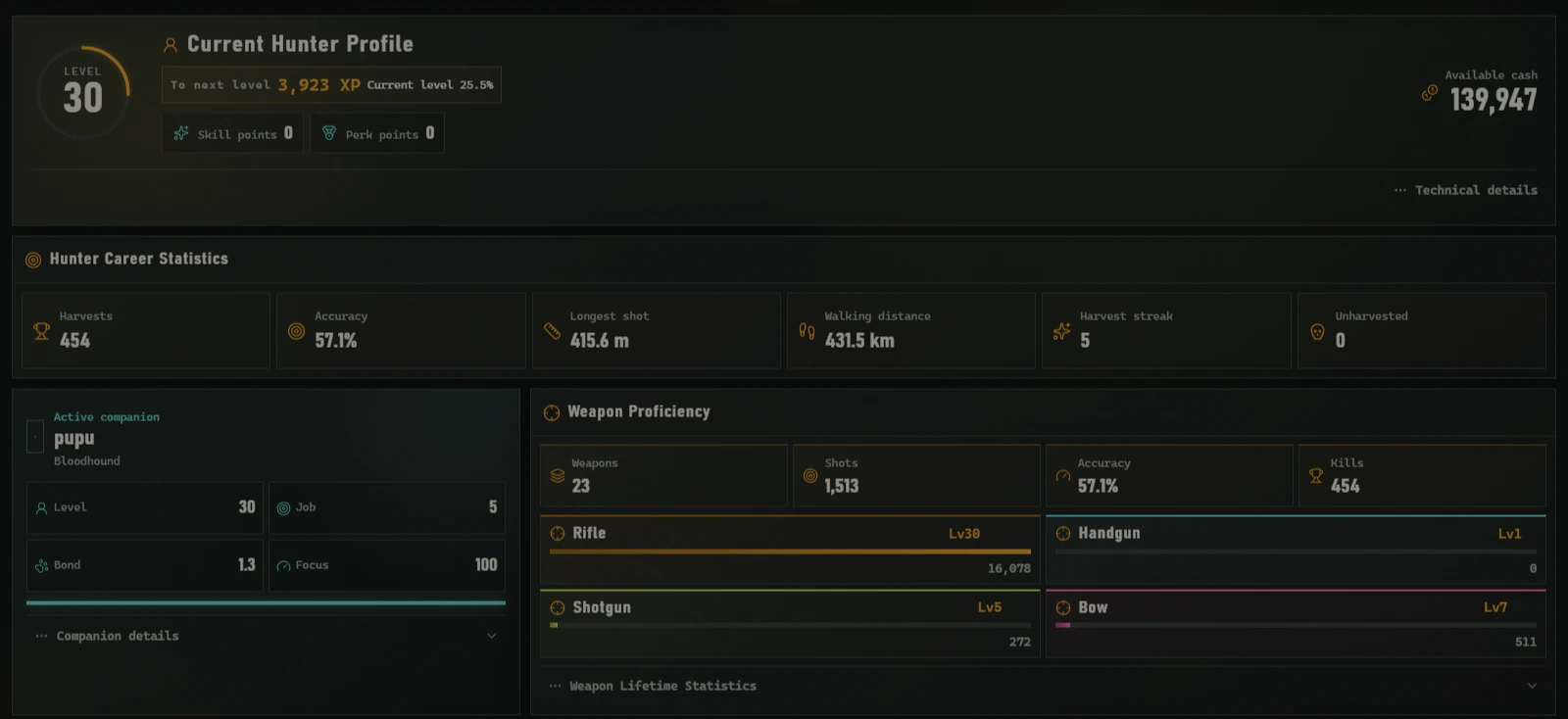
Review saved level, cash, harvest totals, accuracy and weapon proficiency in one view. It reflects the loaded save snapshot.
English interface. These are real app captures from the supplied save, not your results. Account and local-path details were cropped out.Career Tracker for theHunter: Call of the Wild reads the hunter stats saved on your PC: level, XP, cash, harvest totals and weapon proficiency. Load a newer save after playing to review updated values.
Before you start: The Windows 10/11 app requires a one-time paid license and a supported PC save. The screenshot above shows the real software interface; your own results depend on the save you load.
From Your Save to a Career Report
- Follow the save selection instructions to load a supported local hunter profile in the licensed Windows app.
- Open Profile, Dog, and Career Data and review the fields available in your save.
- Reload after a later game save to inspect newer statistics. Missing fields depend on the saved data; the report does not create them.
The figures further down this article are illustrative examples, not results from your account.
What Career Statistics Say About Hunting Habits
Career progression
Read level, experience and cash together so current progress and the next milestone are easy to understand.
Hunting performance
Review harvest count, accuracy, shots and travel distance as context rather than isolated totals.
Weapon proficiency
Compare rifle, handgun, shotgun and bow proficiency with compact progress indicators.
When to Look Back at Career Data
- Load a supported local hunter profile.
- Open the hunter profile and career statistics panel.
- Review milestones and open the detailed profile or harvest context.
How to Read Efficiency and Weapon Proficiency Together
Level, experience, and cash describe progression; harvest count, shots fired, accuracy, and travel distance describe hunting habits.
Read weapon proficiency alongside actual usage. Accuracy or one weapon category on its own can hide differences in play style and career stage.
Why Career Numbers Need Their Full Context
Hunter career summary
| Fields and filters | Static example |
|---|---|
| Level | 60 |
| Harvests | 4,286 |
| Accuracy | 72.4% |
| Top proficiency | Rifle / 100% |
Career values remain part of your local report unless you explicitly export them.
Continue With the Step-by-Step Documentation
This article focuses on the hunting question and how to interpret the result. For interface controls and complete procedures, continue with:
Privacy and Local Processing
Raw saves, private hunter statistics and exact animal coordinates are processed locally by default. They are not placed in public URLs, page metadata or indexable HTML.
Frequently Asked Questions
Which career statistics are available?
Availability depends on the save, but commonly includes level, XP, cash, accuracy, harvest totals, distance and weapon proficiency.
Does Career Tracker update live?
It reflects the last local data snapshot you load. Refresh the supported files to view newer progress.
Is my hunter profile public?
No. Career data is private by default and is not assigned an indexable public URL.
Related theHunter: Call of the Wild Tools
- View Your Hunter Profile and Career Details
- Understand Your Local Game Data
- Track Births, Deaths and Population Changes
Unofficial tools independently developed by a solo developer for theHunter: Call of the Wild. Not affiliated with Expansive Worlds or Avalanche Studios Group.