

theHunter: Call of the Wild · Windows desktop app
Find rare animals and trophy candidates in your own COTW save.
See the animals recorded in your PC save, filter rare fur and trophy potential, and review your hunter stats. Analysis stays on your computer.
- Windows 10/11 · PC saves only
- US$9.90 once · no subscription
- Local and read-only
Real interface screenshots. Your own results depend on the save you load.
Real Windows software
See the app before you buy
See how the Windows app filters animals, shows reserve maps and reports hunter stats. Open a screenshot for a closer look.
English interface. These are real app captures from the supplied save, not your results. Account and local-path details were cropped out.
 Open full-size screenshot · new tab
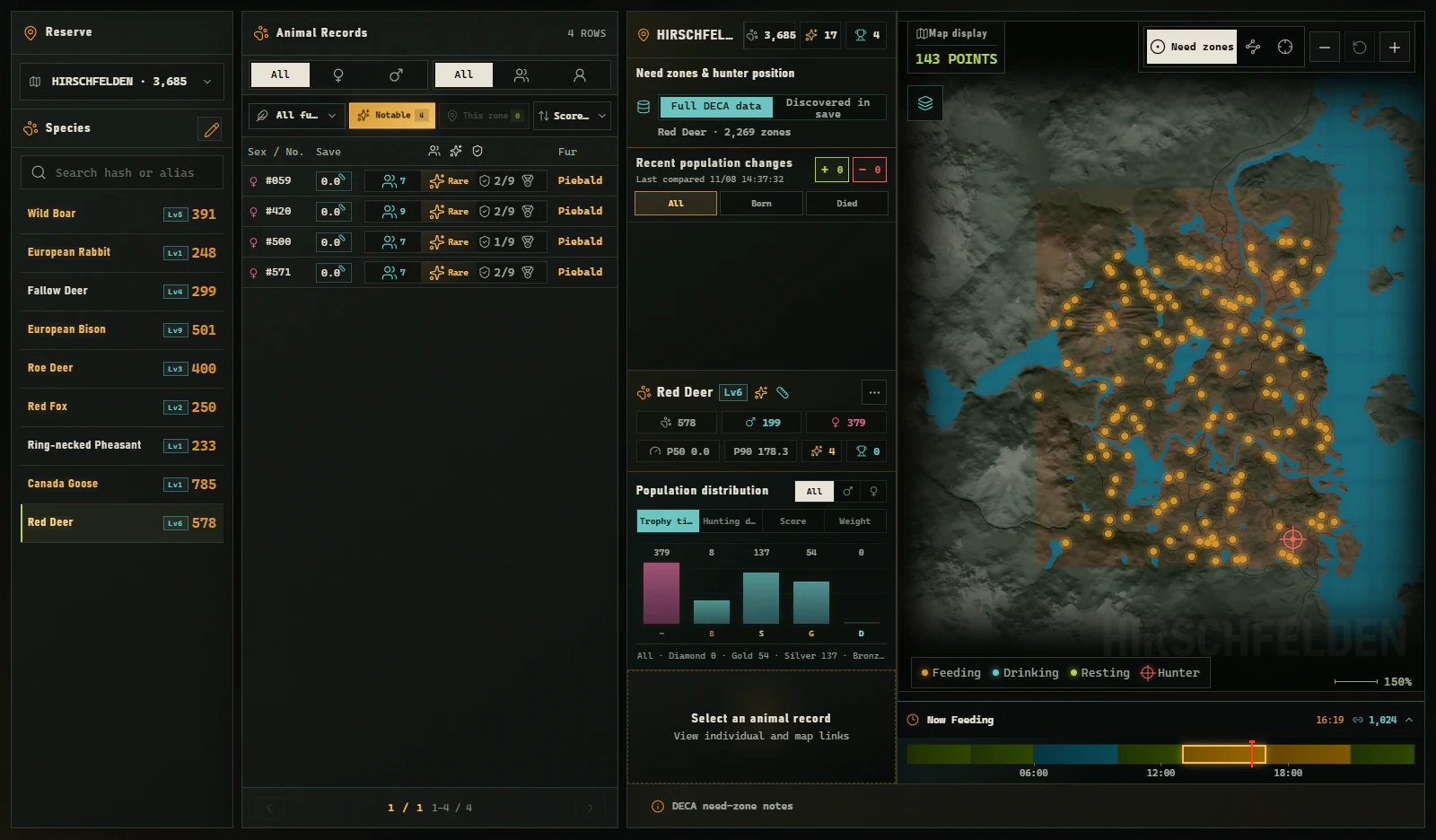
The Notable filter narrows the recorded animals and identifies matching rare fur. Results depend on what is present in your own save.
 Open full-size screenshot · new tab
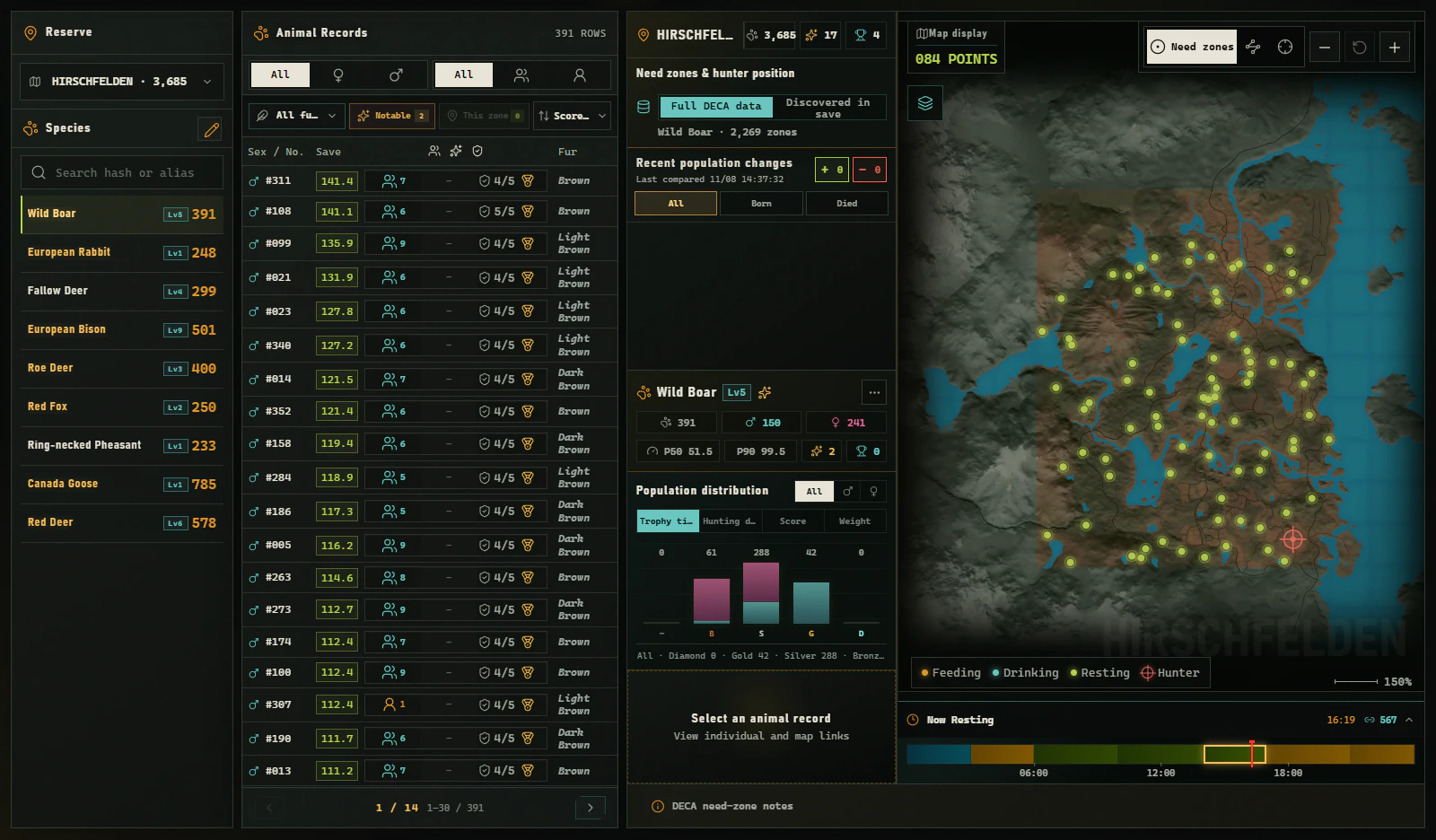
View animal records beside species distributions and available feeding, drinking and resting zones.
 Open full-size screenshot · new tab
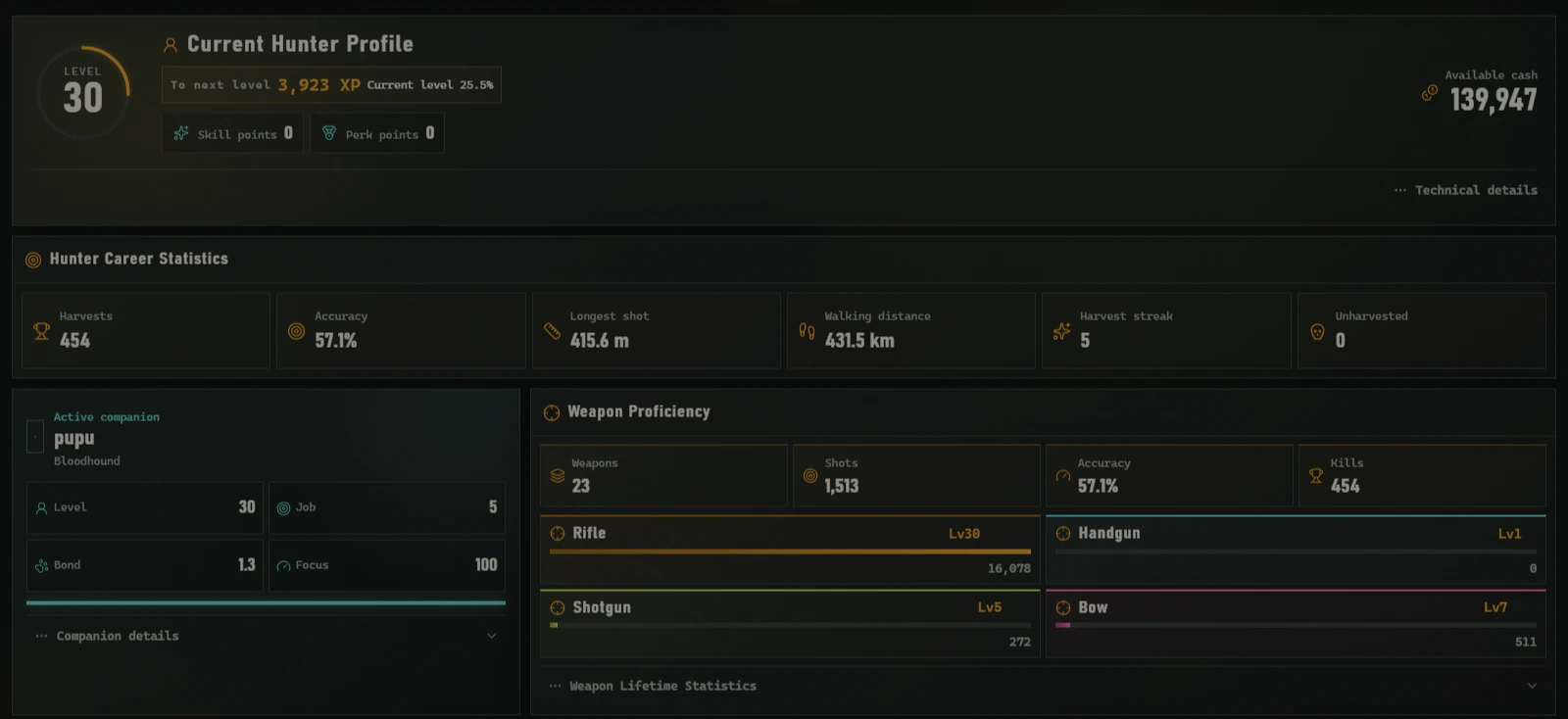
Review saved level, cash, harvest totals, accuracy and weapon proficiency in one view. It reflects the loaded save snapshot.
Product film / field tour
theHunter Tools Video Demo.
See the save analyzer, population filters, rare animal detector, and reserve map in action.
Local analysis protocol
How to Analyze a Call of the Wild Save
Select a theHunter PC Save
Choose a supported save folder or population file. Analysis is read-only.
Filter Animals in a Reserve
Search by species, sex, fur, weight, level, and trophy estimate.
Compare Population Snapshots Between Hunts
See new, missing, and changed animals between hunts.
Field Edition / current scope
theHunter Save Analyzer for Windows: Key Facts
Review supported scope, price, activation, and license checks.
| Reserve profiles | 19 | Available in the current Field Edition. |
|---|---|---|
| Species files | 127 | Species and fur records available to the analyzer. |
| Game data | Latest version | Includes Intisuyu and the Patch 9.2 species set. |
| Platform | Windows PC | Designed for supported Windows 10 and Windows 11 data. |
| Price | US$9.90 | One-time personal license with no recurring subscription. |
| Activation | 1 PC | Move the license by deactivating the previous computer first. |
| License check | Once daily | Use the app offline between successful checks. |
Future releases update automatically under the same license
View pricing & licenseBefore you start
COTW Save Analyzer: Common Questions
What can I find in my save?
Filter recorded animals by reserve, species, sex, fur, weight, level and trophy potential. You can also review reserve maps and saved hunter stats.
Will the app change my game or unlock DLC?
No. It reads supported save files without editing game data, spawning animals or unlocking DLC.
Which platforms are supported?
The desktop app reads supported local Windows 10/11 PC saves. Xbox and PlayStation saves are not supported.
Does Animal Finder show live animal positions?
It shows records and map information from the loaded save, not live game memory. Reload a newer save to review changes; a saved position does not guarantee the animal is still there.
Are my save files uploaded?
Analysis runs on your Windows PC. Viewing website screenshots does not request any files. Online license checks are separate from local save analysis.
Is this an official theHunter product?
No. This independently developed toolkit is not affiliated with Expansive Worlds or Avalanche Studios Group.
Official theHunter Game & Save File Sources
- theHunter: Call of the Wild — Official Website
- theHunter Support — Savegame Files
- Steam — theHunter: Call of the Wild
- Wikidata — Q29964519
Named sources verify the game, Windows platform, and save-file context; they do not endorse this tool.
Built and maintained independently by a solo developer. About the project